Code Generation
Visulate provides two distinct mechanisms for code generation: Agentic AI for creative, context-aware development and Template-driven for standardized, deterministic output.
Agentic AI Code Generation
The modern approach to code generation in Visulate is powered by the Code Generation Agent. Unlike simple snippets, this agent understands the full architectural context of your database.
Key Capabilities
- Context Awareness: The agent analyzes Foreign Keys, Object Dependencies, and Primary Key constraints to ensure the generated code respects your database integrity.
- Multilingual Support: Generate code in Java (Spring Boot), Python (FastAPI/SQLAlchemy), Node.js (Express/Sequelize), or PL/SQL.
- Relationship Mapping: When generating an API for a table, the agent can automatically include logic for related parent/child tables based on its discovery of schema relationships.
- Iterative Refinement: Interact with the agent in the chat window to refine logic, add validation, or change the target framework.
Agentic Development Examples
To get the most out of the Code Generation Agent, try the following scenarios:
- Context-Aware API Bootstrapping: Ask the agent to “Generate a Spring Boot project structure (Controller, Service, Repository) for the EMPLOYEES table. Include logic to fetch related DEPARTMENT data based on the foreign key.” The agent will analyze the FK relationships and generate a set of interconnected Java classes.
- Multi-Step Database Migrations: Request a complex change like “Add an audit trail to the ORDERS table. Generate the DDL for an ORDERS_AUDIT table and a PL/SQL trigger to populate it.” The agent will provide a set of scripts: setup DDL, the trigger, and a test script.
- Dependency-Aware Refactoring: Use the agent to modernize legacy code: “Analyze the RNT_MENUS_PKG package. Identify all tables it depends on and refactor its business logic into a Python FastAPI service using SQLAlchemy.”
- Cross-Framework Comparison: Generate the same logic in multiple stacks: “Generate a data access object (DAO) for the PAYMENTS table in both Java/Hibernate and Node.js/Sequelize so I can compare the implementation.”
[!TIP] Multi-File Downloads: The agent uses a specialized tool to save your code. Instead of a single text block, it will provide a list of download links for each generated file (e.g.,
Controller.java,Service.java,Repository.java).
Template Driven (Deterministic)
Template-driven code generation uses Handlebars templates to transform database metadata into code. This approach is maintained for situations where deterministic logic and standardized patterns are required (e.g., generating corporate-standard PL/SQL APIs or maintenance scripts).
How it Works
The result can be accessed via a drop-down in the UI or directly via an API call.
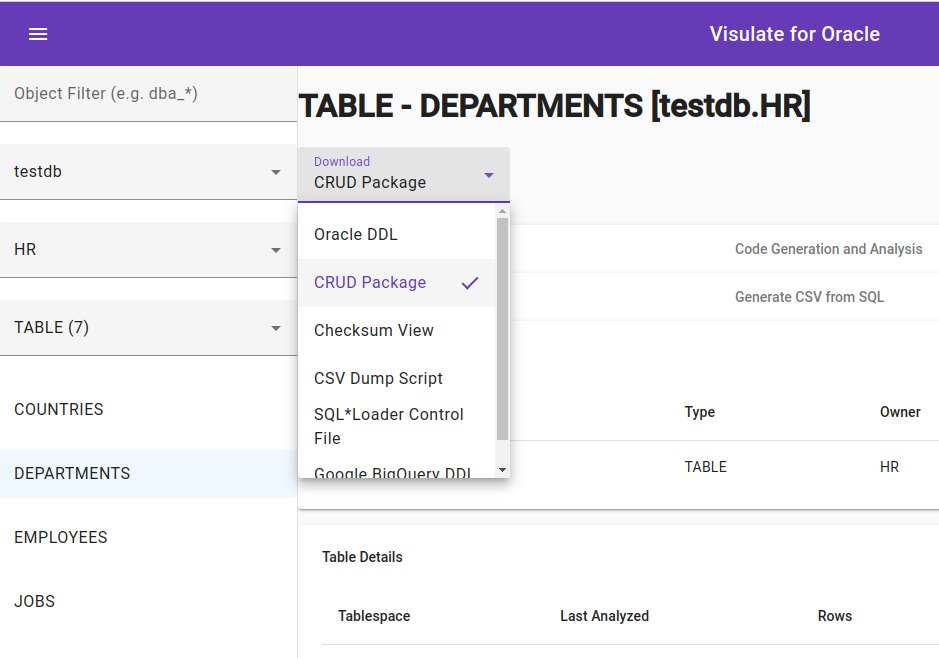
Default Templates
The Visulate application delivers a set of sample templates via a config map called App instance name-hbs-templates.
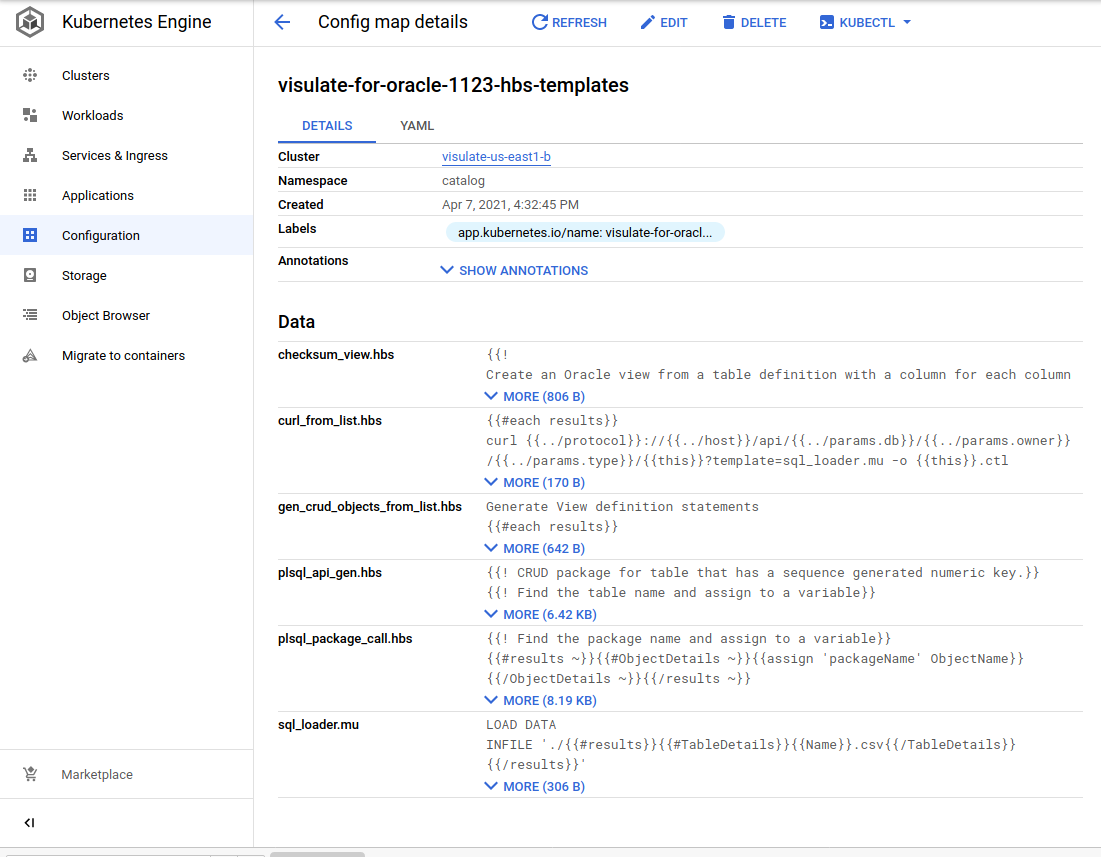
| Template Name | Description |
|---|---|
| plsql_package_call.hbs | Generate code to call procedures and functions in a PL/SQL package |
| plsql_api_gen.hbs | Generate a PL/SQL package to handle create, retrieve, update and delete operations for a given table |
| checksum_view.hbs | Create an Oracle view from a table definition with a column for each column in the table plus a checksum column based on values for the columns. Used in web forms to detect changes in tables that do not have audit columns. |
| curl_from_list.hbs | Generate curl statements from a list of objects |
| gen_crud_objects_from_list.hbs | Generate plsql_api_gen API calls for a list of tables |
| generate_csv_files.hbs | Generate a shell script to download CSV files for a list of tables |
| sql_loader.mu | Mustache template to generate a SQL*Loader control file |
User defined templates
The database object and object list APIs include an optional template parameter. It accepts the name of a handlebars or mustache template. This template is used to transform the API’s result set.
Example
Passing plsql_package_call.hbs to the template parameter for a PL/SQL package will transform the JSON document that the API returns into a plain text response with the PL/SQL code to call the public functions and procedures in the package:
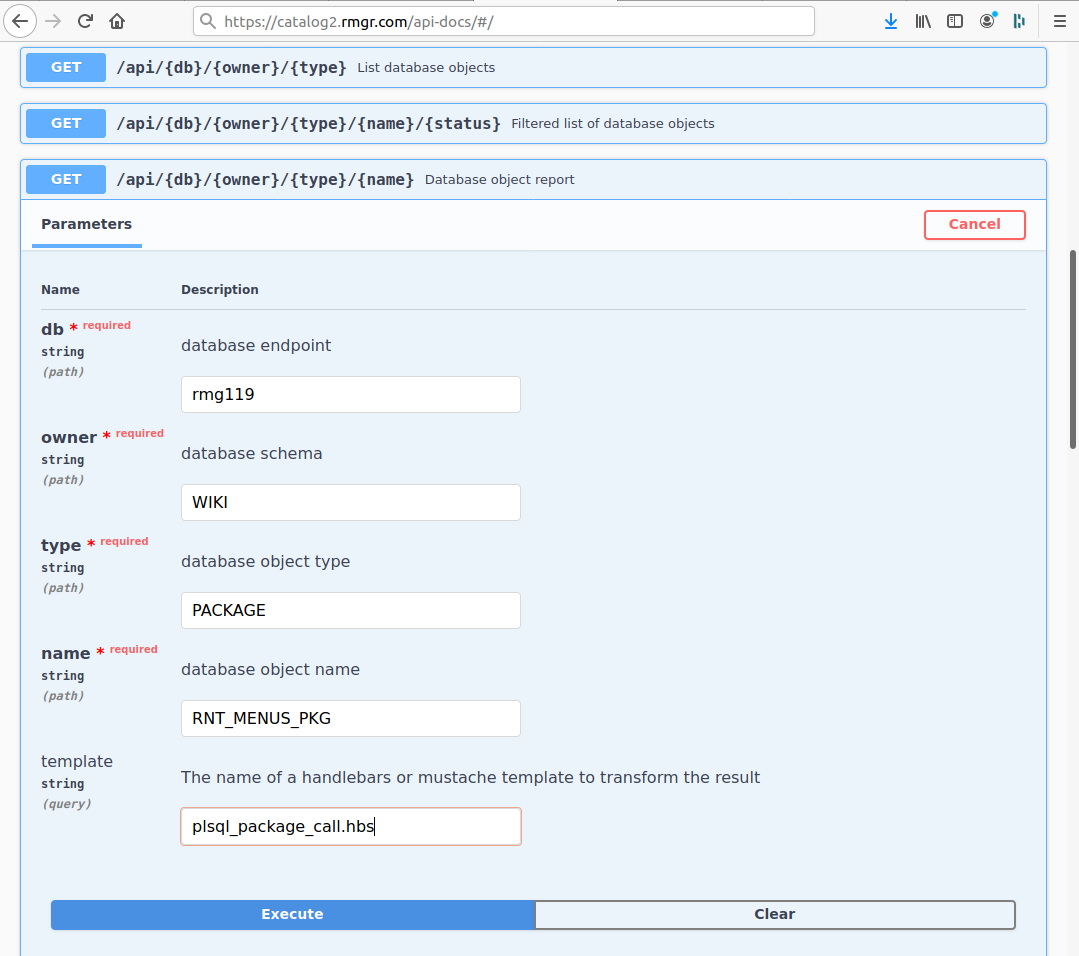
curl -X GET \
"https://catalog2.rmgr.com/api/rmg119/WIKI/PACKAGE/RNT_MENUS_PKG?template=plsql_package_call.hbs" \
-H  "accept: application/json"
Responds with:
/**************************************************************
  API Calls
***************************************************************/

-----------------------------------------------------
-- GET_CHECKSUM
-----------------------------------------------------
GET_CHECKSUM_VALUE := RNT_MENUS_PKG.GET_CHECKSUM
  ( X_TAB_NAME =>   -- IN VARCHAR2(32)
  , X_MENU_NAME =>   -- IN VARCHAR2(32)
);


-----------------------------------------------------
-- UPDATE_ROW
-----------------------------------------------------
RNT_MENUS_PKG.UPDATE_ROW
  ( X_TAB_NAME =>   -- IN VARCHAR2(32)
  , X_MENU_NAME =>   -- IN VARCHAR2(32)
  , X_MENU_TITLE =>   -- IN VARCHAR2(32)
  , X_DISPLAY_SEQ =>   -- IN NUMBER(22)
  , X_CHECKSUM =>   -- IN VARCHAR2(4000)
);


-----------------------------------------------------
-- INSERT_ROW
-----------------------------------------------------
RNT_MENUS_PKG.INSERT_ROW
  ( X_TAB_NAME =>   -- IN VARCHAR2(32)
  , X_MENU_NAME =>   -- IN VARCHAR2(32)
  , X_MENU_TITLE =>   -- IN VARCHAR2(32)
  , X_DISPLAY_SEQ =>   -- IN NUMBER(22)
);


-----------------------------------------------------
-- DELETE_ROW
-----------------------------------------------------
RNT_MENUS_PKG.DELETE_ROW
  ( X_TAB_NAME =>   -- IN VARCHAR2(32)
  , X_MENU_NAME =>   -- IN VARCHAR2(32)
);

end;
/
Copyright © Visulate LLC, 2019, 2025 Privacy Policy